Production management
Jobs that move themselves forward.
Between the signed contract and the final check are dozens of hand-offs. StageKit tracks each one, does the busywork that follows it, and shows you which jobs are stuck before the homeowner calls.

Sound familiar?
What it looks like today.
Nobody knows where a job is
The office calls the rep, the rep calls the crew, and the homeowner calls everyone.
Hand-offs fall through
The material order, the permit, the crew booking: each one waits on someone remembering.
Stuck jobs hide
A job missing one piece of paperwork can sit for weeks before anyone notices.
How StageKit fixes it
What changes when it runs on StageKit.
01
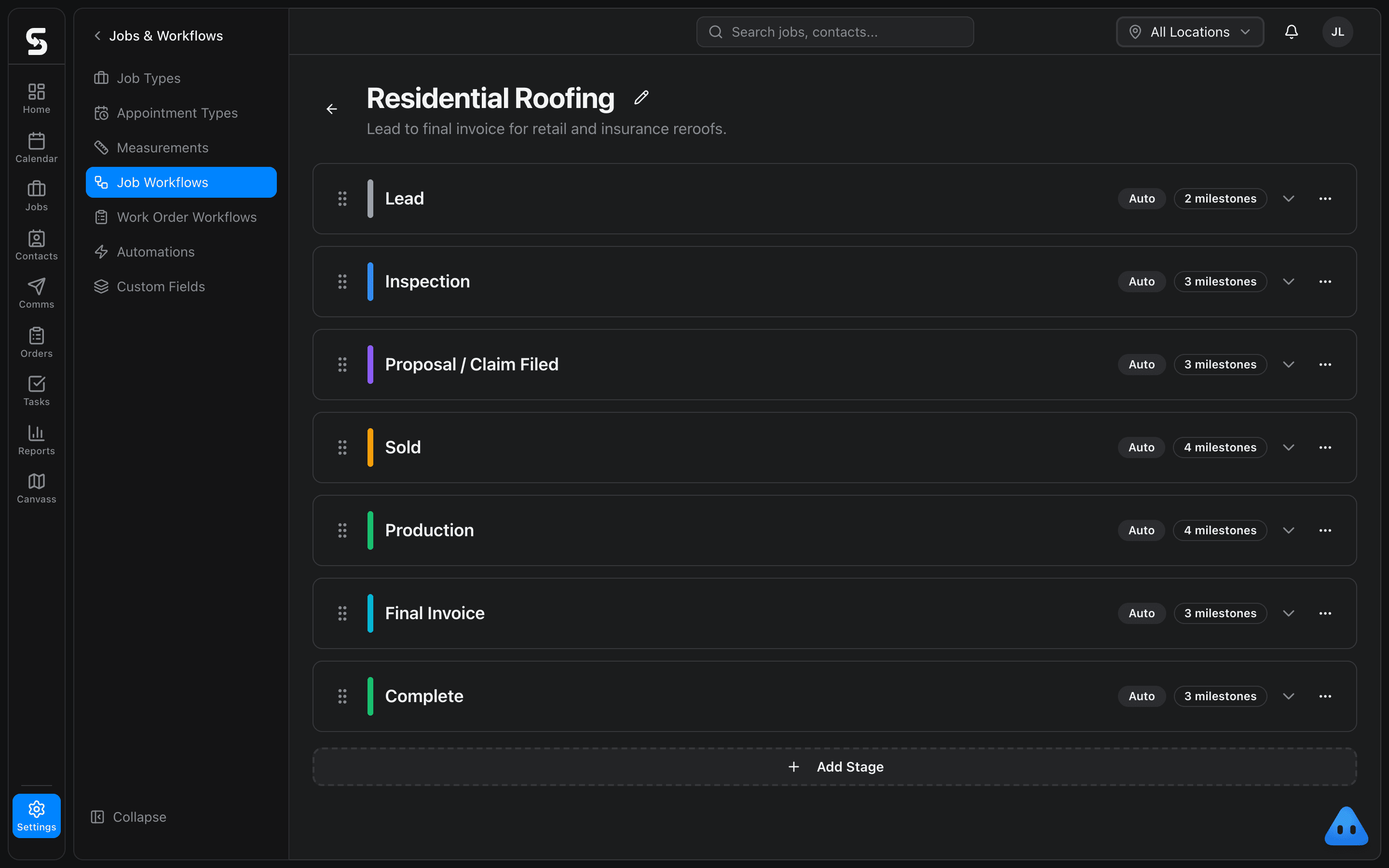
Your process, as a workflow
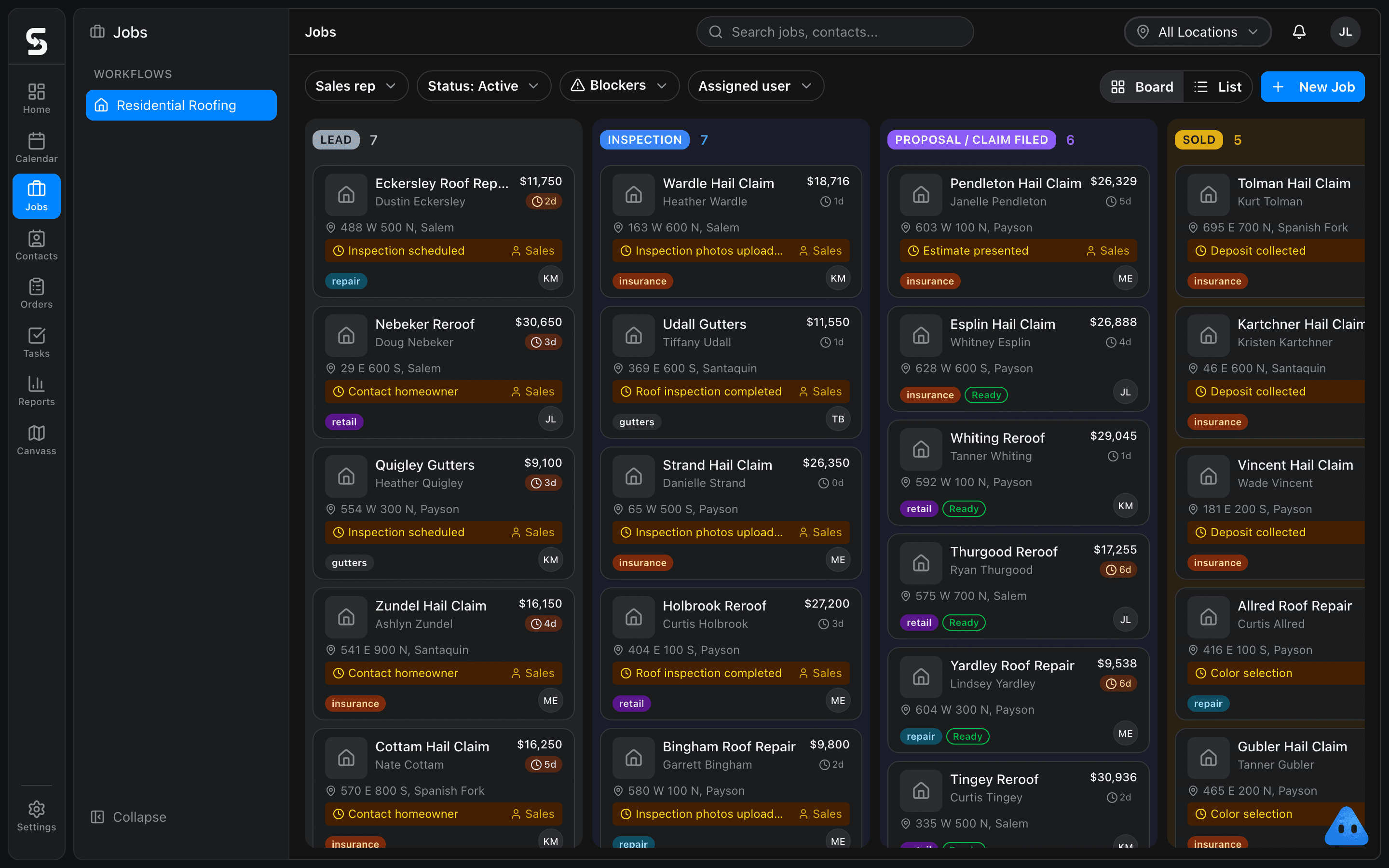
Lay out your stages and the milestones inside each one, per job type. Every job follows it.
- A workflow per job type: retail, insurance, gutters
- Gate milestones a manager has to verify
- A board view to see every job by stage
02
Milestones that check themselves
Photos taken, an appointment held, a document signed, a deposit cleared. StageKit watches for it and moves the job when the stage is done.
- Many milestones complete with no one clicking
- Jobs advance to the next stage on their own
- Measure how long jobs sit in each stage
Pendleton Hail Claim
603 W 100 N, Payson
Claim number
Roof photos
Adjuster meeting
Contract signed
03
The next step happens on its own
Automations create the work order, assign the task, and notify the right person the moment a job reaches a stage.
- Triggers like a stage change or a signed document
- Conditions, branches, and wait steps
- No code, built on a canvas
When an estimate is accepted
Try it- Create work orderTear-off & install
- Assign task to Derek HalvorsenOrder materials
- Wait 2 daysPauses, then picks up where it left off
- Notify Amy CastilloSchedule install
- Move to ProductionPendleton Hail Claim
04
Crews and subs on the calendar
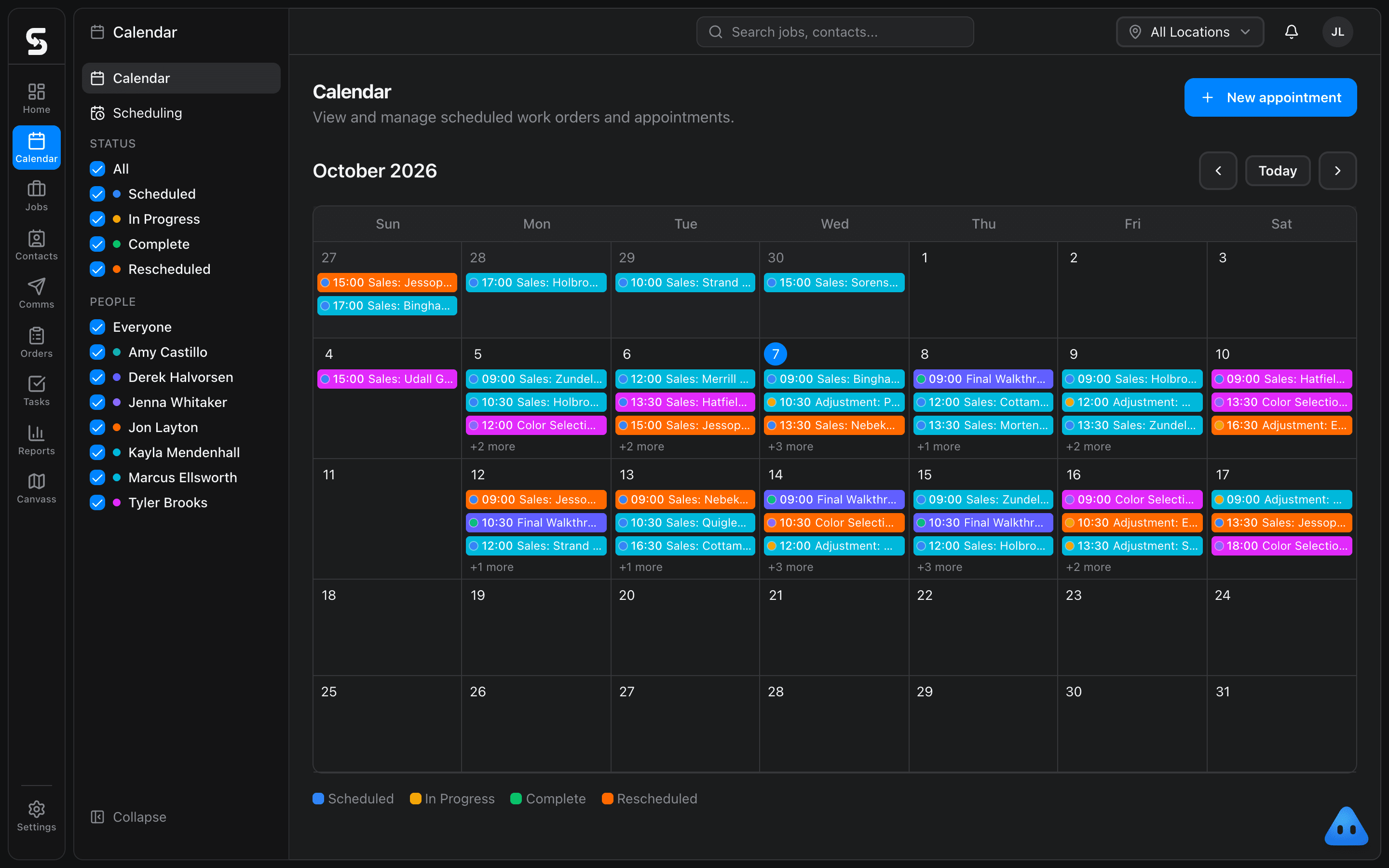
Work orders put the actual work on the calendar. Crews and subcontractors see their jobs in the app.
- Assign work orders to crews or subcontractors
- Finishing a stage's work orders moves the job
- Subcontractor crews use the field app for free
The features behind it
More solutions
Run your next job on StageKit.
See it with your own workflow. We'll walk you through canvassing, proposals, production, and pay in 30 minutes.