Getting paid
Collect faster, and know who still owes you.
Invoices start from what was sold, homeowners pay from their phone, and every payment syncs to QuickBooks. The office stops re-typing numbers and starts collecting them.
Sound familiar?
What it looks like today.
Invoices built from scratch
Someone re-types the estimate into an invoice, and the numbers drift.
Nobody knows what's overdue
Receivables live in QuickBooks, the job lives in the CRM, and neither tells you which job to call about.
Books that don't match
Every payment gets entered twice, and month-end is spent finding the difference.
How StageKit fixes it
What changes when it runs on StageKit.
01
Invoices from the job
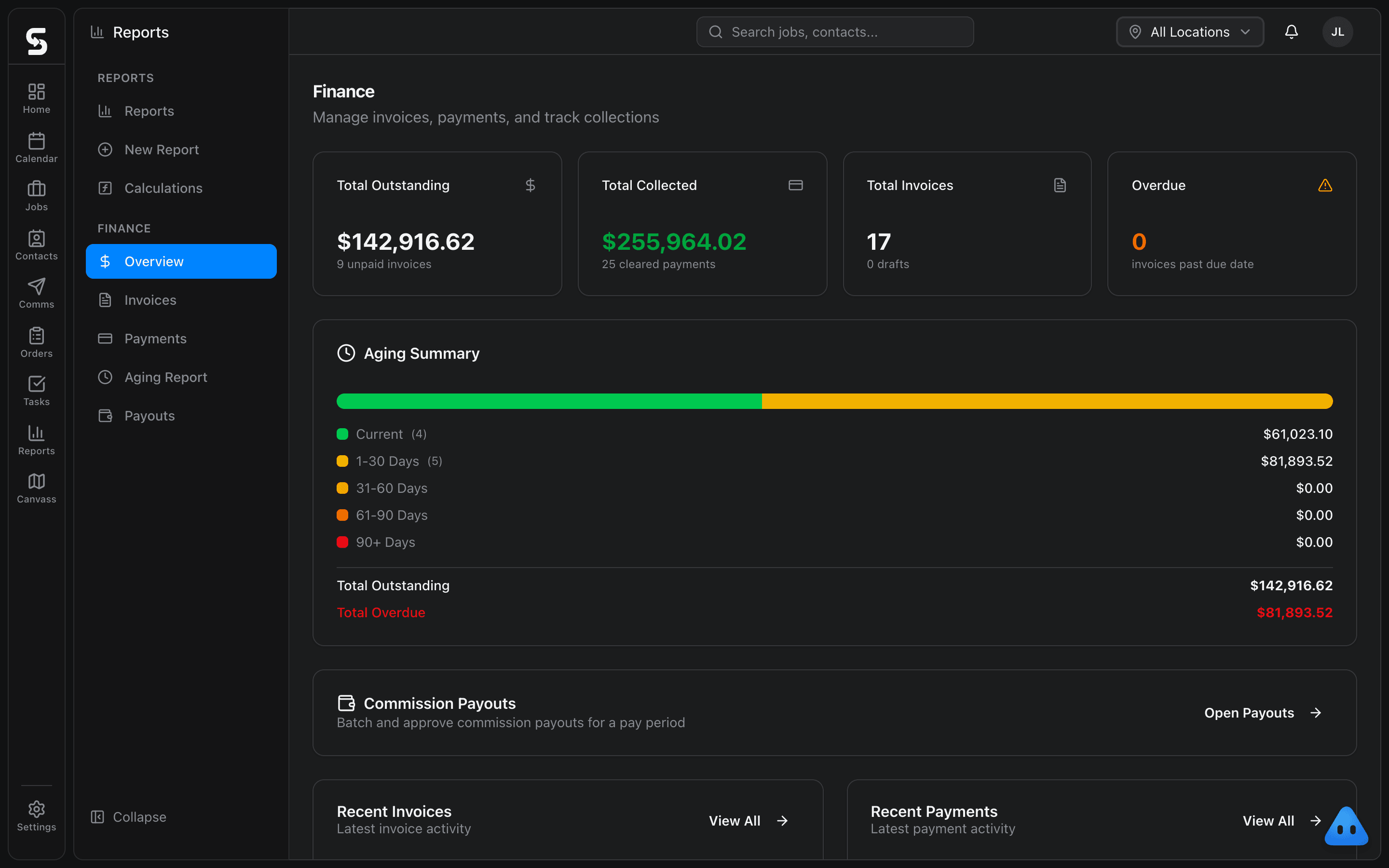
No re-entering the estimate. Invoices start from what was sold, and aging shows what's late.
- Invoices tied to the job and its estimate
- An aging report of what's overdue
- Printable invoices for homeowners and insurance
02
Paid from any phone
Send a secure payment link for a deposit or an invoice. The homeowner pays by card in a minute.
- Stripe payment links for deposits and invoices
- Payments land on the job when they clear
- A cleared deposit can check off a milestone
Summit Ridge Roofing
Deposit for Pendleton Hail Claim
$2,941.00
03
QuickBooks without double entry
Customers, invoices, and payments flow to QuickBooks Online on their own.
- Automatic retries if QuickBooks is down
- A permanent log of every payment change
QuickBooks sync
- CustomerJanelle PendletonQueued
- InvoiceINV-1042 · $29,410.00Queued
- Payment$2,941.00Queued
- InvoiceINV-1043 · $35,385.00Queued
Every payment change is logged
Oct 6 2:14 PM · Amy Castillo · created payment $2,941.00
Oct 6 2:16 PM · Amy Castillo · edited memo "Deposit at signing"
The features behind it
More solutions
Run your next job on StageKit.
See it with your own workflow. We'll walk you through canvassing, proposals, production, and pay in 30 minutes.